- Knowledge Center
- Workflows
Send a reminder or a fresh link
Nudge a buyer who has gone quiet, replace a link that has stopped working, and let reminders go out on their own.
On this page
Buyers get busy, and links get buried in an inbox. When a run has stopped moving, you have two tools on the run's page. A reminder is a gentle nudge that leaves everything as it was. A reissued link is a replacement, for when the old link should stop working.
Before you start
The run must be in progress. A run that is completed or canceled has nobody left to remind, and a run that is on hold sends nothing until you resume it.
Send a reminder
- Choose Workflow runs in the sidebar and open the run.
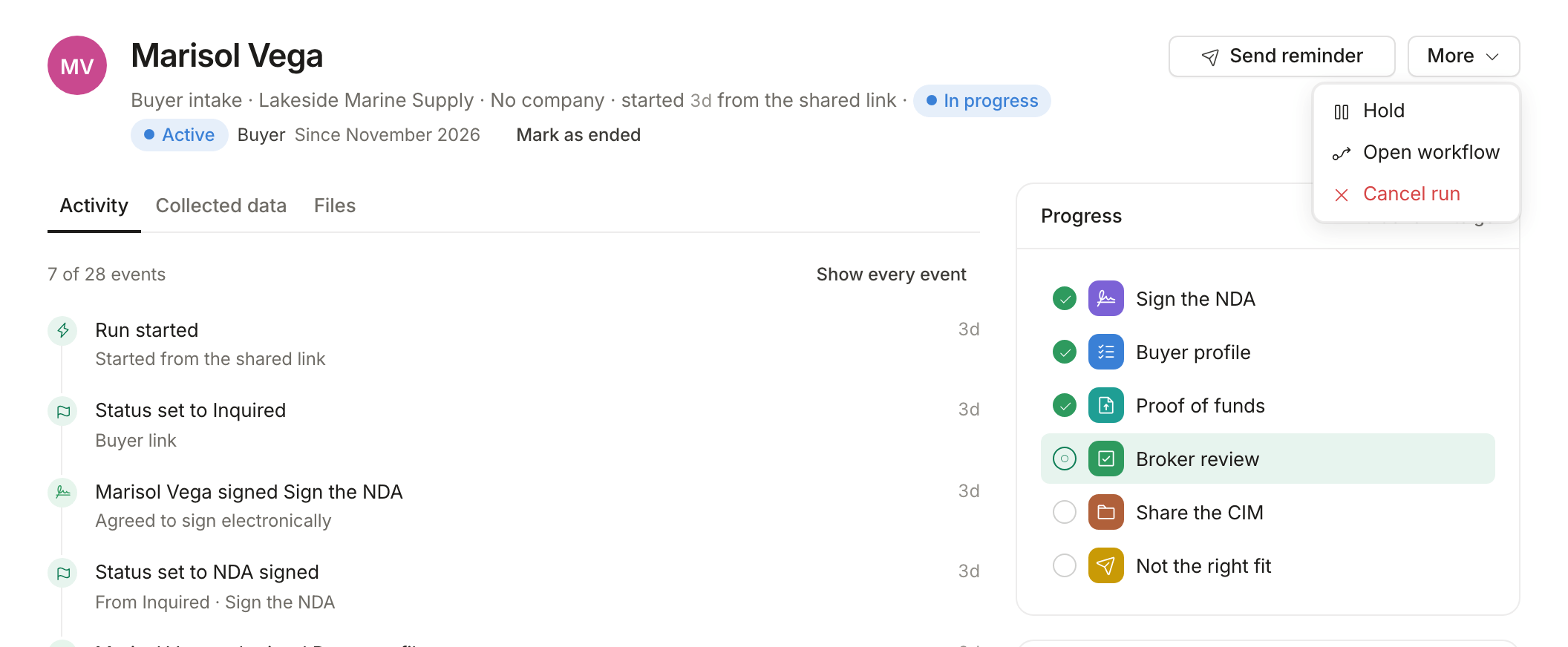
- Choose Send reminder at the top of the page.
The reminder goes by email to each person who holds an open step on the run, and the page confirms who it was sent to. People who have already finished their part are not emailed. The email carries a link, and any link the person already has keeps working beside it.
Replace a link
Use this when a buyer's link has expired, or when it was forwarded to someone who should not have it.
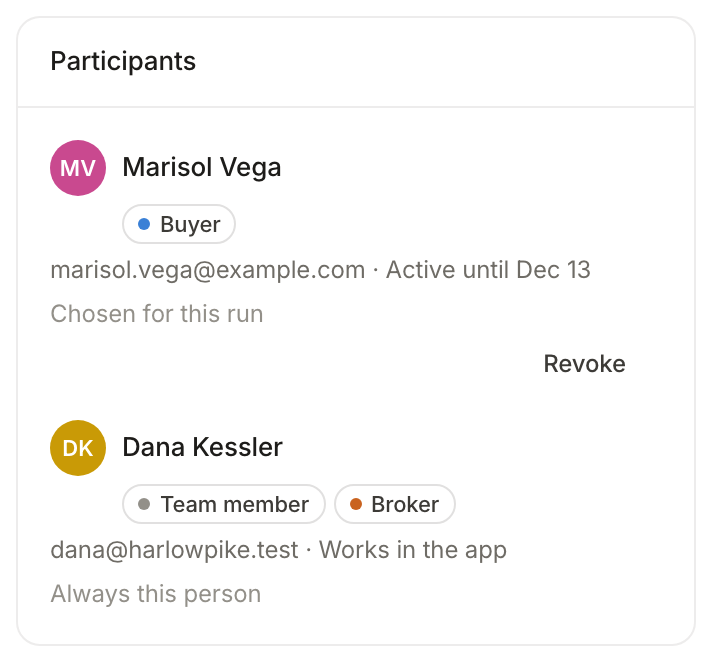
- Open the run and find the person under Participants. The line under their name shows whether their link is active and until when.
- Choose Reissue on their row. It shows only while the run is in progress and the person still has a step to do. Someone who has finished their part is not offered it, because there is nothing left for a new link to open.
- If you would like to send the link yourself as well, choose Copy link. The link is shown once, so copy it before you leave the page.
A new link is emailed to the person, and the earlier link no longer works.
Careful: If the app tells you the link could not be emailed, its emails to that address are not getting through. Copy the link and send it to the buyer yourself, then check the address on their contact for a typo.
Turn a link off
- Under Participants, choose Revoke on the person's row.
- Confirm with Revoke link.
The link stops working at once, and the person will need a new one to continue. If they still have a step to do, choose Reissue when you are ready to let them back in.
What your buyer can do on their own
A buyer who opens a link that has expired is not stuck. The page offers to email them a new one, and they choose Send me a new link. The new link goes to the address you have on file for them, never to an address typed into the page. If they ask several times in a short while, the page asks them to check their inbox and wait a little before asking again.
A link that you revoked, or one that belongs to a canceled run, does not make that offer. The page asks the person to contact your firm.
Let reminders go out on their own
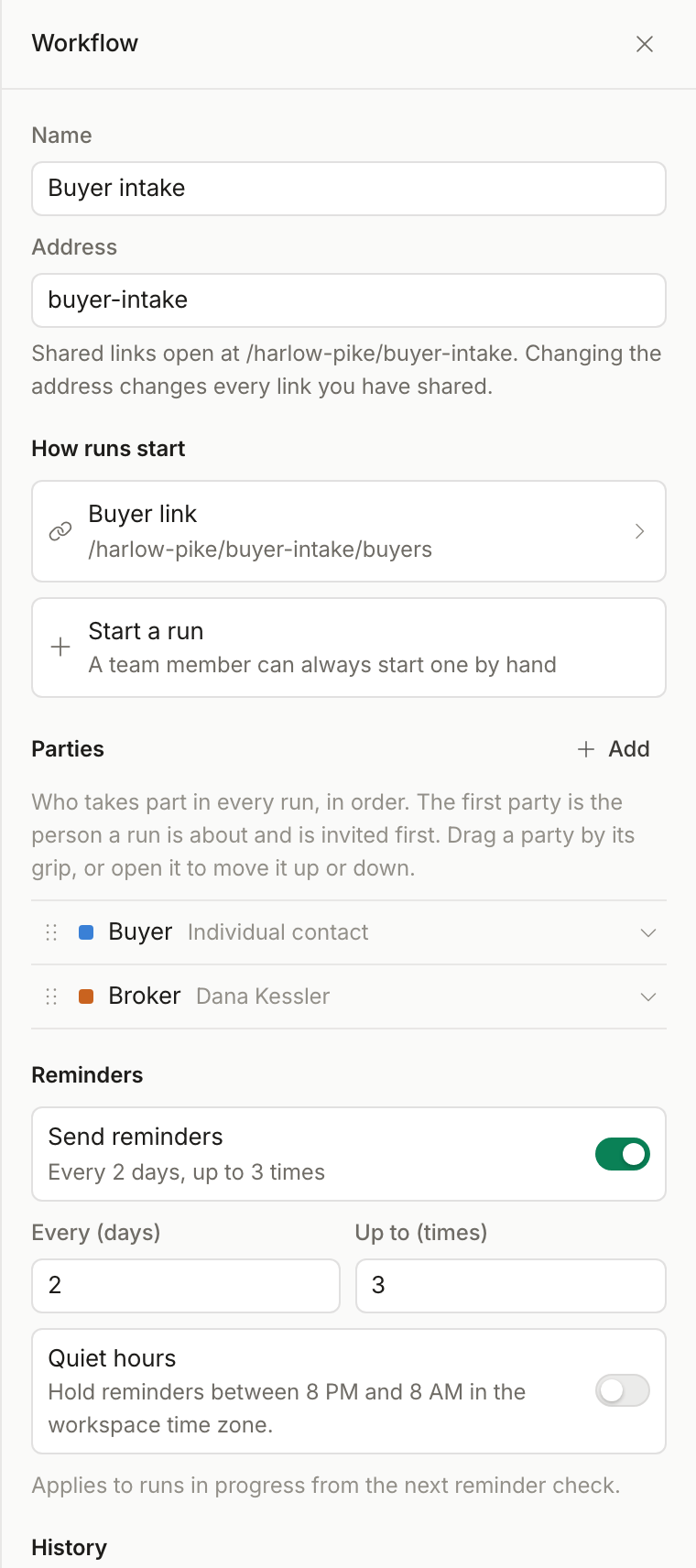
- Open the workflow and choose Properties on the canvas bar.
- Under Reminders, turn on Send reminders.
- Set Every (days) and Up to (times).
- Leave Quiet hours on to hold reminders between 8 PM and 8 AM in your workspace's time zone.
The setting applies to runs already in progress from the next reminder check.
When the buyer never confirmed their email
A run that began on an Embed page stays unverified until the buyer enters the code they were emailed. No reminder or link can be sent on that run yet. Open it and choose Resend code instead.